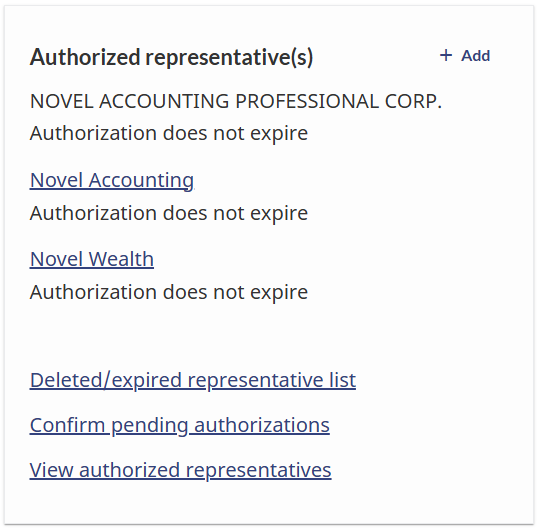
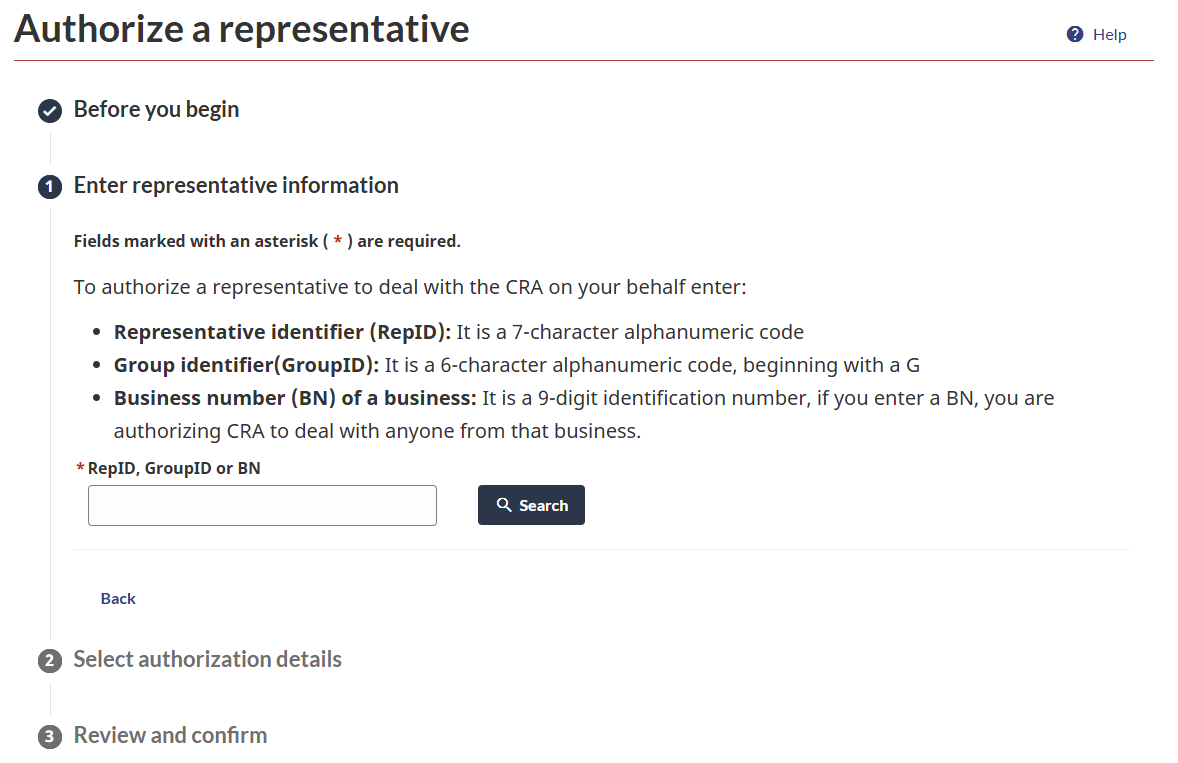
Select the ‘+ Add’ button. From there, select the ‘Start’ button on the next page. You’ll be asked to enter a RepID, GroupID or BN. Once you’ve entered the right ID, click the ‘Search’ button.
a.
If you’re authorizing your advisory team, enter their RepIDs (you’ll have to do this more than once depending on the number of advisors you’re working with – i.e. if you work with two advisors, you’ll do this for each of them).
b.
You will also need to authorize Novel Wealth. The GroupID for Novel Wealth is GHZ35G
c.
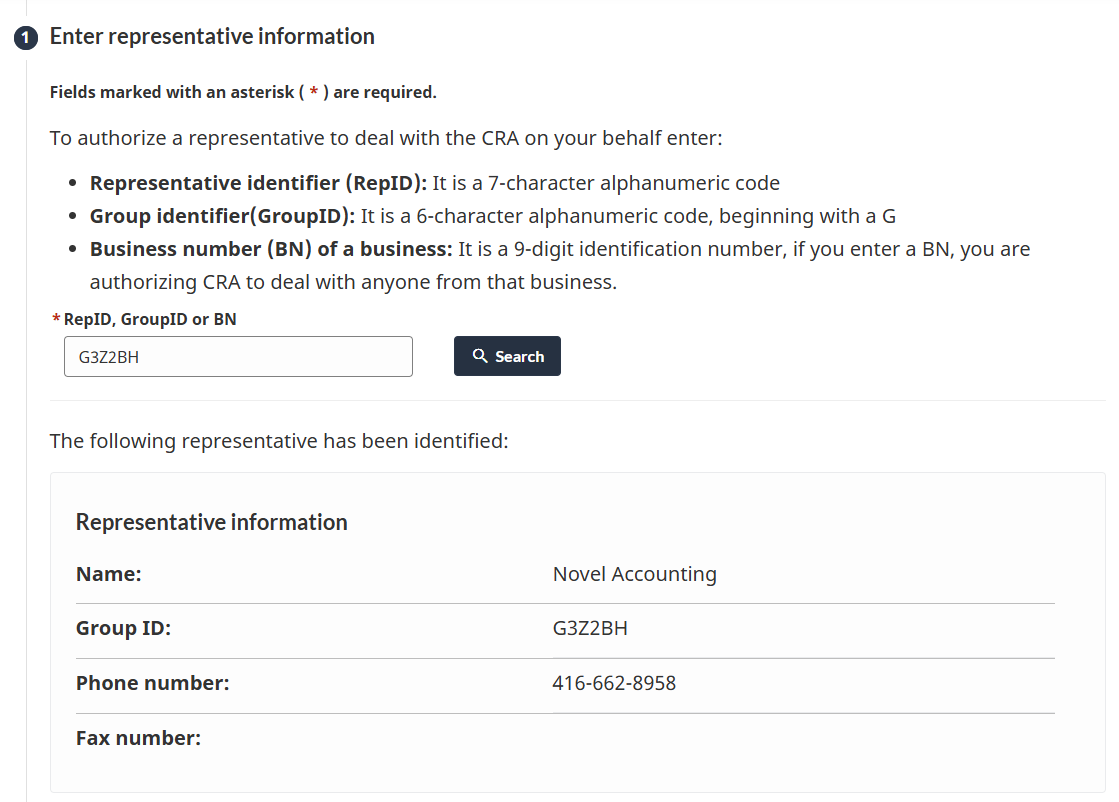
If you’re also working with Novel Accounting, you’ll also need to authorize Novel Accounting. The GroupID for Novel Accounting is G3Z2BH